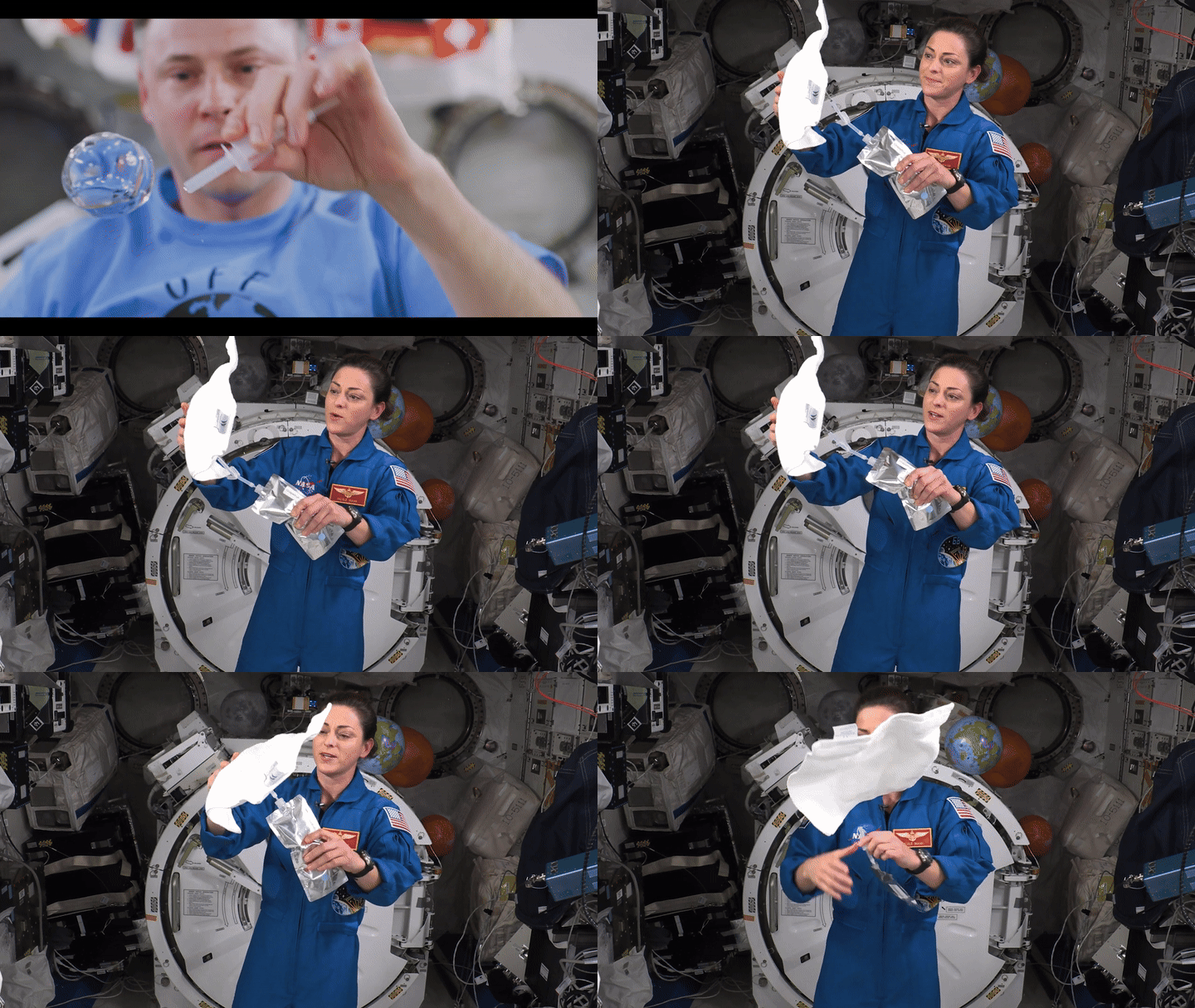
You remember the shot: a water droplet floating in front of an astronaut. You don't remember the file, or where it happens.
Describe the moment, ask for its source timecode, then check the surrounding footage. The useful result is a shot you can put in an edit and find again when the brief changes.
We tried this with three NASA archive videos, totaling eight minutes and 35 seconds. Here's the short, silent cut made from the checked selections.
Ask for a source you can check
This pattern works with a footage-search tool that can inspect your local files:
Search this folder for a floating water droplet in front of an astronaut.
Also find a spoken explanation of capillary action.
Use visual search for the shot and speech search for the explanation.
Return filenames, source in/out times and the evidence for each match.
Inspect the surrounding moment. Keep the original files unchanged.
Speech search found the capillary explanation in STEMonstrations: Properties of Water. Visual search found the droplet in Moving Water in Space. We chose a clean range at 01:00–01:02.5, with no explanatory text covering the shot.
A match still needs an editor's judgment. Another request for Earth from the station returned Earth imagery inside a graphic window treatment. It resembled the request, but wasn't verified camera footage from that window. We left it out.
Change the brief without starting over
The next request can build on the same footage folder:
Reuse the existing index. Find real station footage showing water being
absorbed by a paper towel or used to water plants. Verify the action is
visible. Combine it with the droplet in a short, silent rough cut.
Save the preview and an editable cut list with original filenames and
source in/out times. Do not generate replacement footage.
The station demonstration used a washcloth. We accepted that substitution after inspecting water wetting it at 03:23–03:34 in STEMonstrations. The result pairs the floating droplet with a practical example of handling water in microgravity.
Keeping those source references makes revisions straightforward: change a trim, swap a shot, or rebuild the preview without guessing where the footage came from.
Keep the search and edit together in Voyager
In Voyager, our desktop app, the agent searches the project's local footage index and returns clickable source moments. Selecting one opens the original video at that time. The conversation, files and subsequent edit stay in the same project.
Description / transcript
An actual Voyager search result lists Moving Water in Space at 16 seconds. Clicking the result opens the original video at 16.00 seconds. A follow-up reuses the existing index and produces a silent cut with source filenames and trims. The demo uses cropped desktop captures and held screenshots for readability. The source picture and native timer are enlarged from the same screenshot. Processing waits are omitted; the ending shows excerpts from the cut.
We used a Codex agent for the search and edit. Local speech and visual models build the index; the agent's provider handles the conversation and returned context. Local indexing doesn't mean the entire agent conversation runs offline.
The next search reused the existing index. Indexing is upfront work; for one short clip, scrubbing it yourself may be quicker. It becomes more useful when you repeatedly search the same library.
Clipto MCP also offers local footage search, timestamps and first cuts. Voyager's useful step here is carrying a checked source selection into the next editing request in the same workspace.
Try the cut yourself
Download the cut list, render script and offline preview. Edit the source times in cut.json, download the credited originals, and run the included Python/FFmpeg script. The HTML preview plays offline once you unzip the whole folder. The editable file is cut.json; render.py rebuilds the MP4 from the original clips.
Footage: NASA/JSC. Original records and download links are included in the kit. NASA's media guidelines cover reuse; check individual credits and avoid implying endorsement.
Make your next project in Voyager
Create an account, download Voyager, and start making.